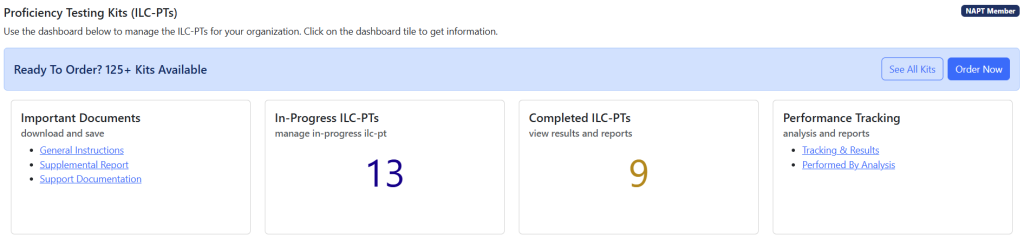
Status: Accept Preliminary Report
When your ILC-PT is in the Accept Preliminary Report status, NAPT staff is waiting for you to accept the results of your Preliminary Report and issue your Final Report
On the resulting form, you can accept your Preliminary Report or Submit Revised Data to NAPT if deemed necessary.

When you Accept Prelim Results, the ILC-PT will be moved to Complete, and your Final Report will be ready to print directly from the NAPT Customer Portal.
NOTE: ILC-PT can be marked as Arrived by an Account Admin, Quality Manager or if the ILC-PT is assigned directly to the logged in technician.
Status: Completed
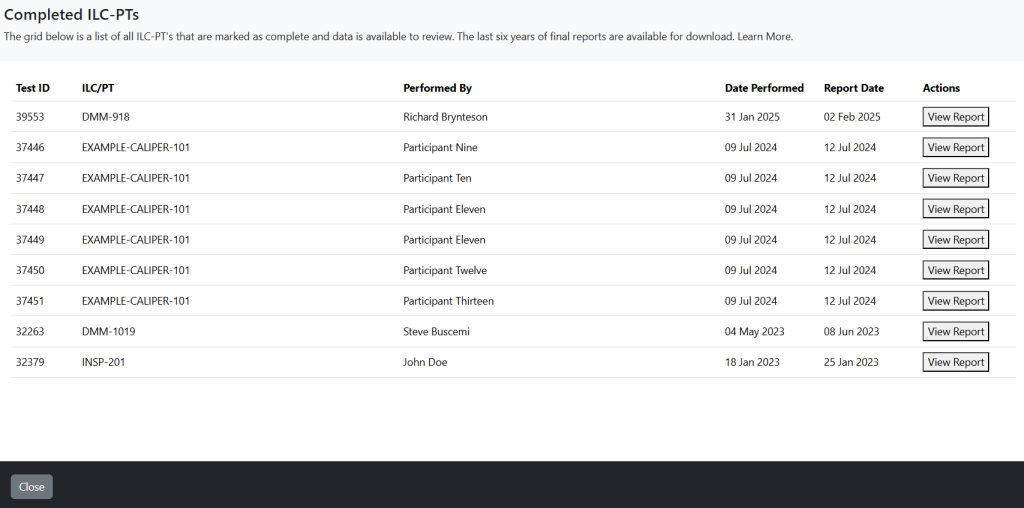
When your ILC-PT is in the Completed status, your report is ready to be printed. You can find completed reports on the left side menu of the ILC-PT module.
From the list of completed ILC-PT, select View Report.
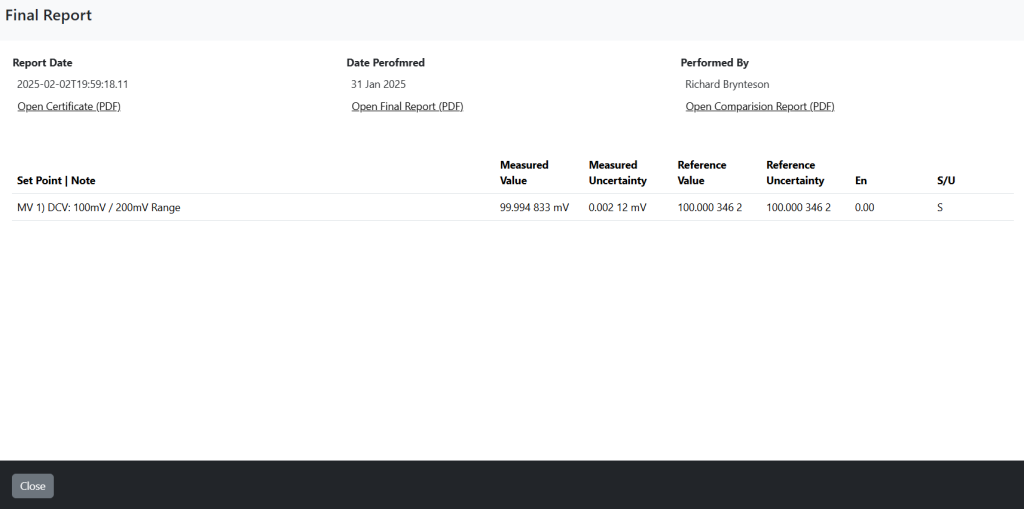
On the resulting form, you can see the data submitted and print your final report.
NOTE: ILC-PT can be marked as Arrived by an Account Admin, Quality Manager or if the ILC-PT is assigned directly to the logged in technician.
